
Supercharge the Feynman Technique with AI for Video Learning
Apply the Feynman Technique to videos with BibiGPT. AI summaries, mind maps, and instant Q&A help you absorb YouTube, Bilibili, and podcast content 10× faster.
Supercharge the Feynman Technique with AI for Video Learning
Direct answer: The Feynman Technique tests real understanding by forcing you to explain a concept in simple terms. The biggest obstacle when applying it to video is extracting structured content from a linear recording. BibiGPT solves this instantly—paste any YouTube, Bilibili, or podcast link and get an AI summary, mind map, and article view in seconds, so you can jump straight into explaining, identifying gaps, and simplifying.
Introduction: Stuck in the Illusion of Ability?
Ever finish a tutorial thinking, "Got it," only to freeze when you try it yourself? That false confidence is the illusion of ability—the trap of passive learning.
Nobel laureate Richard Feynman put it bluntly: "If you can't explain it simply, you don't understand it well enough."
Real learning requires active output and simplification. This guide shows how to marry the Feynman Technique with BibiGPT so you truly absorb video knowledge—10× faster.
Why Watching Feels Productive—but Isn't
Video production excels at keeping us comfortable: polished storytelling, music, and visuals lull us into believing we've learned. But passive intake rarely translates to application. Without structured output, the first real-world challenge leaves us blank.
 AI-boosted learning concept
The Four Pillars of the Feynman Technique
- Learn – Choose a concept to master.
- Teach – Explain it to someone else using plain language.
- Identify gaps – Where you stumble indicates missing understanding.
- Simplify – Refine your explanation until it becomes intuitive.
Why It's Hard to Apply to Video
Video locks information in a linear timeline. Before you can "teach," you must manually extract knowledge from scattered timestamps—a draining process of pausing, rewinding, and transcribing. Most learners give up before they even begin.
We need a key to unlock video content into structured knowledge before we can run the Feynman playbook. That key is BibiGPT.
BibiGPT: Your AI-Powered Feynman Engine
BibiGPT doesn't think for you—it removes friction, so you can dedicate energy to understanding and simplification.
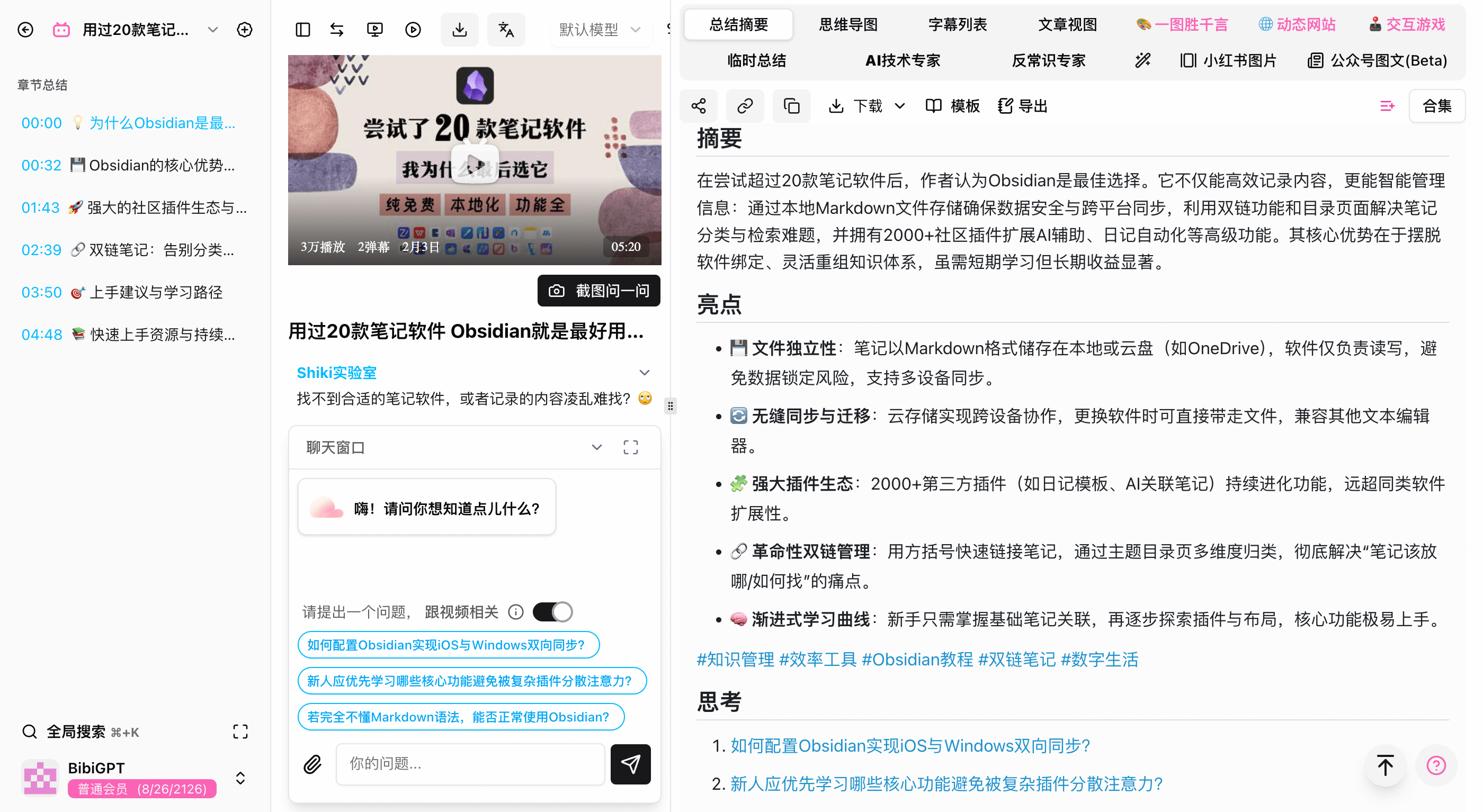
Steps 1 & 2: Learn + Teach (BibiGPT drafts the first pass)
Feed BibiGPT any link (YouTube, Bilibili, Douyin, podcasts) or local file and it produces:
- Structured summaries—complete with bullet points, insights, and knowledge labels. Think of it as a "teacher's draft" that jump-starts your explanation.
- Article view—transforms spoken content into a polished, readable essay for easier teaching.
AI-enhanced learning concept
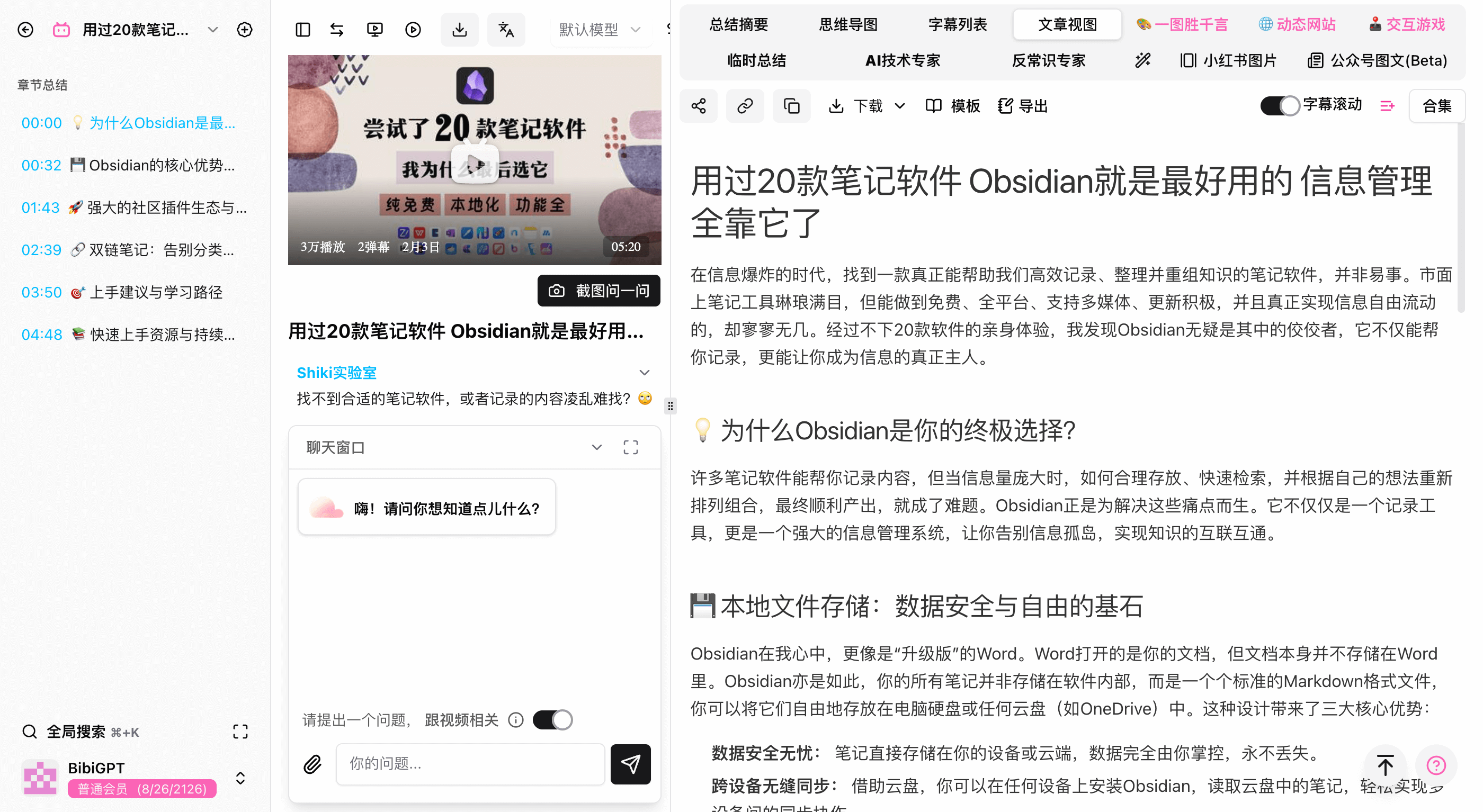 Article view
Step 3: Identify Gaps (Spot and fix swiftly)
When you hit a confusing concept:
- AI Chat – Ask follow-up questions right inside the summary: "What is Obsidian, and how is it different from Word?" BibiGPT answers using video context, acting like an on-demand mentor.
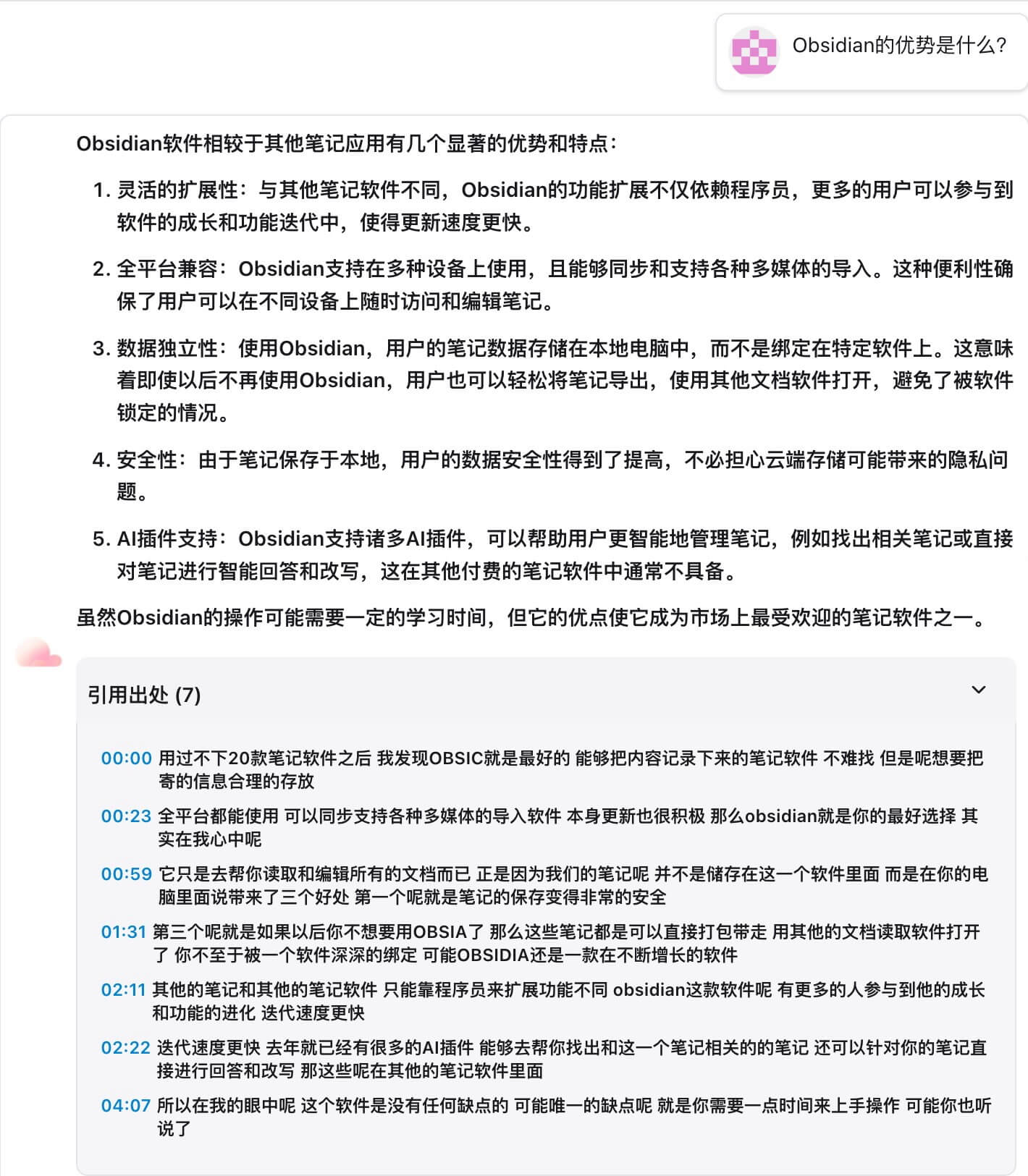 AI chat and timestamps
- Clickable transcripts & chapters – Every highlight and summary includes timestamps. Jump back to the exact moment for immediate review.
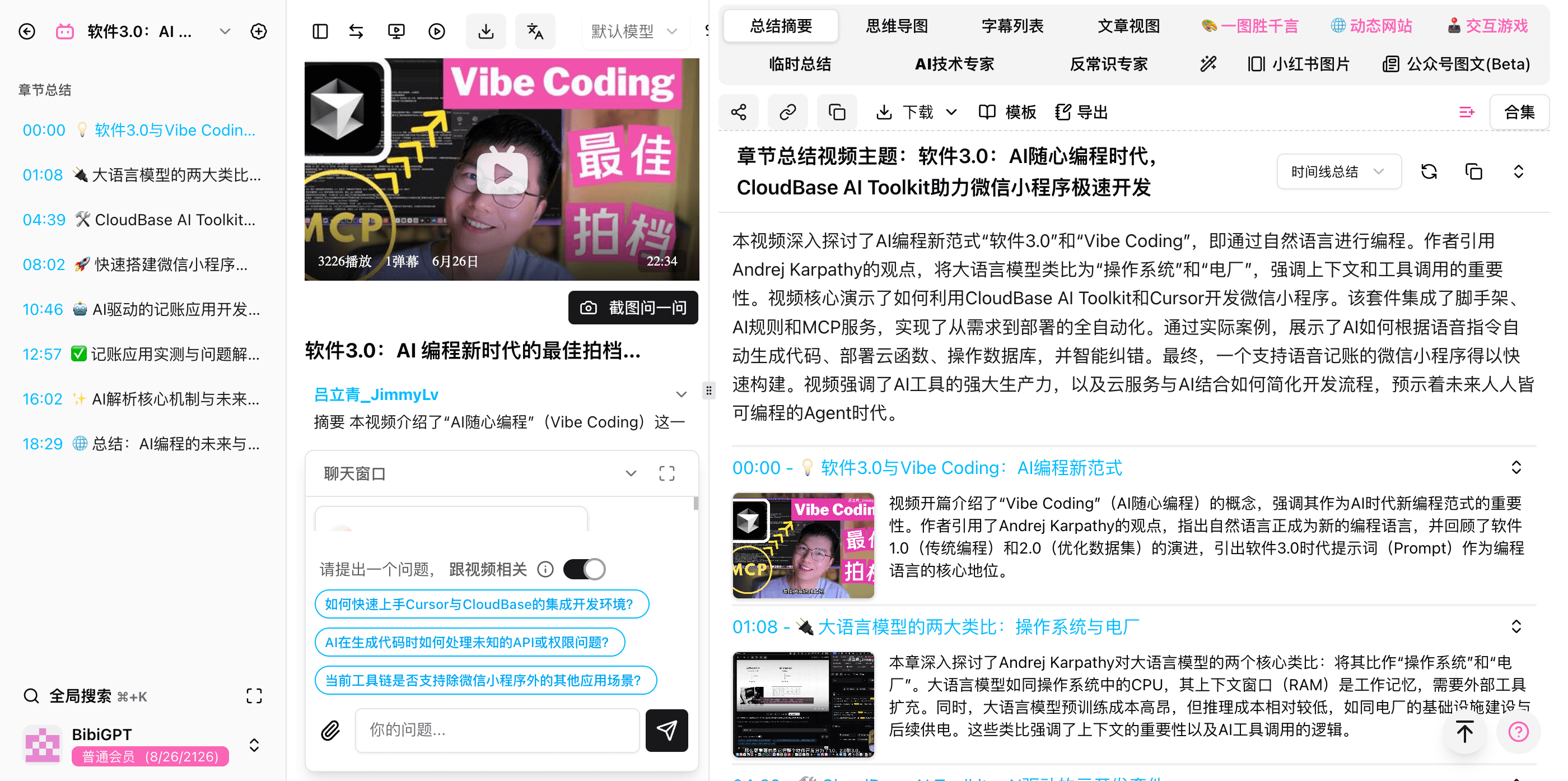 Chapter summary and timestamps
Step 4: Simplify (Build your own model)
After closing knowledge gaps:
- Mind maps – Generate Markmap or XMind diagrams to visualize structure and relationships at a glance.
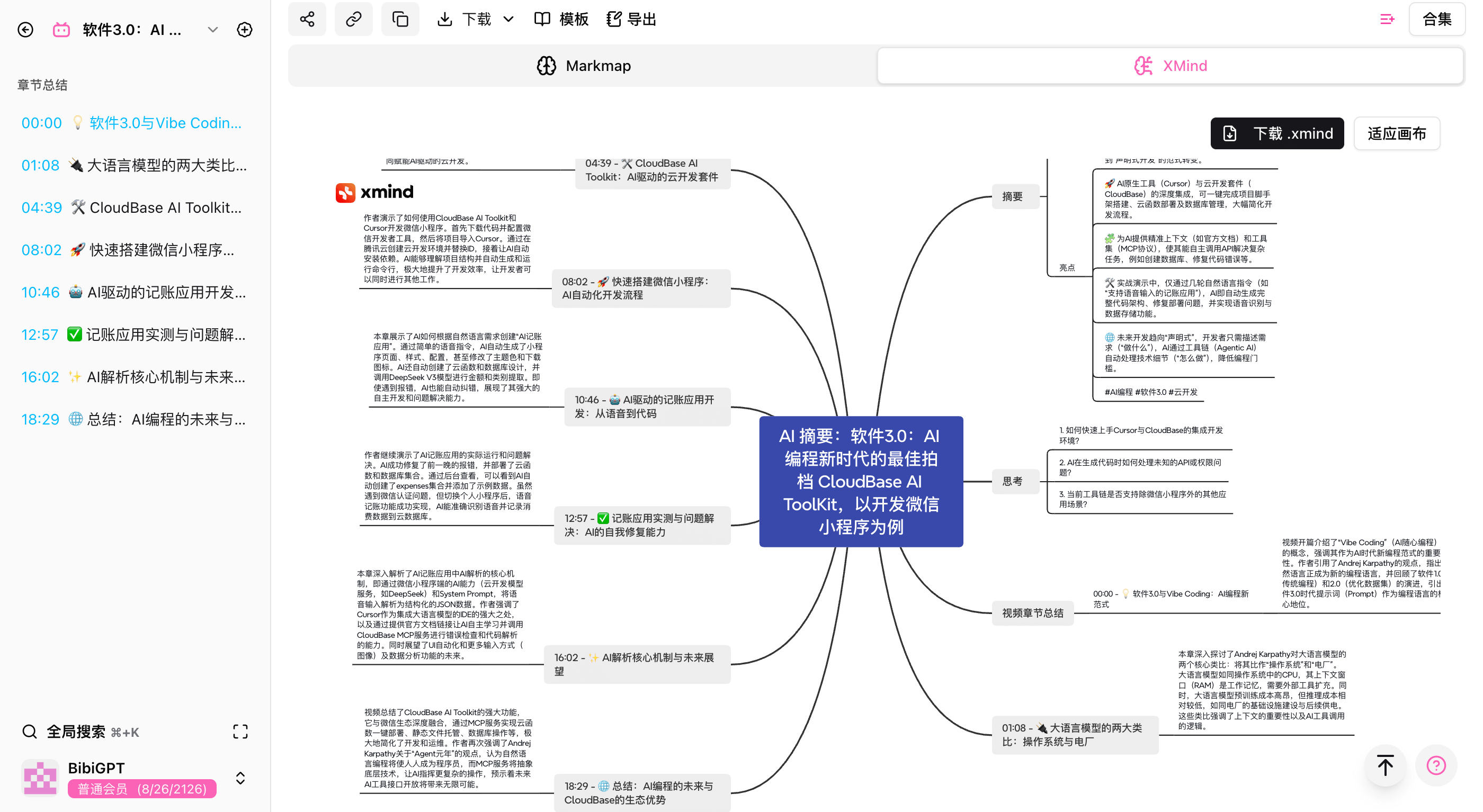 Mind map
- Editable notes – Rewrite the AI draft in your own words, pruning and rearranging until the explanation is effortless.
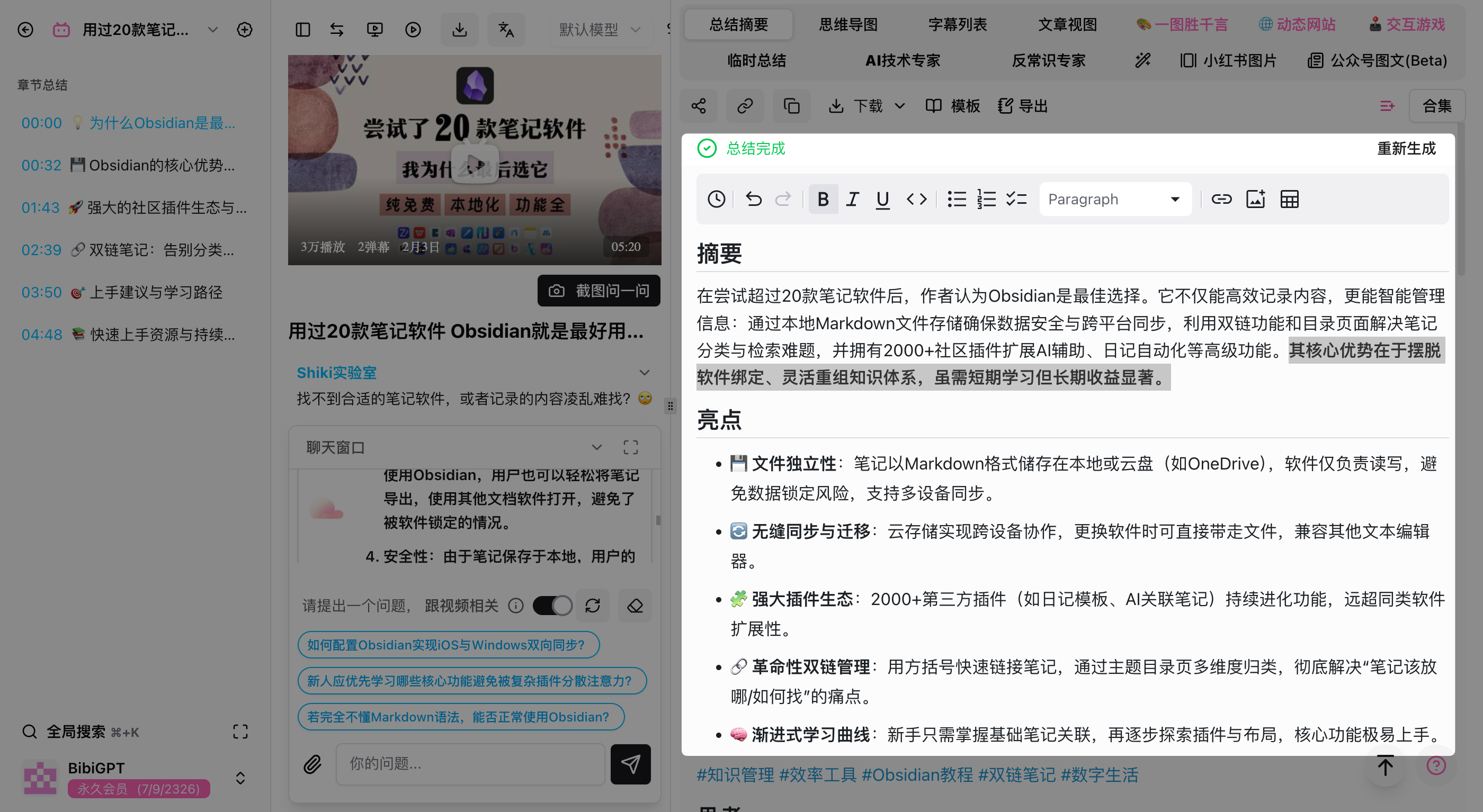 Notes
Notes
From Learner to Knowledge Architect
Ready to turn insights into a second brain?
- One-click exports – Send summaries, notes, and transcripts to Notion, Obsidian, Readwise, Logseq, Roam Research, and more.
- Custom prompts – Build specialized workflows, from Socratic questioning to meeting minutes.
- Advanced output – Create infographics ("One Picture, Thousand Words"), dynamic websites, or interactive exercises.
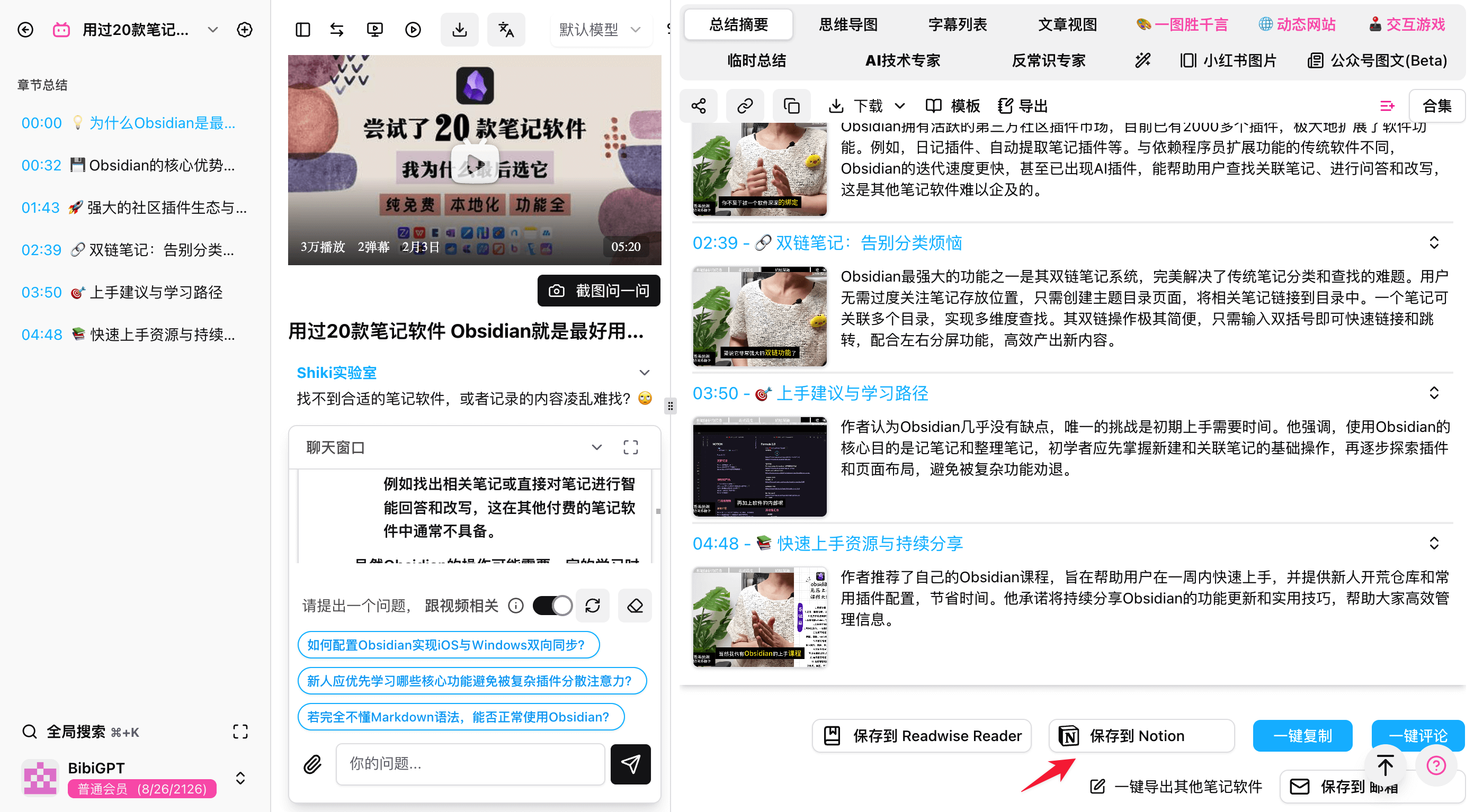 Export to Notion
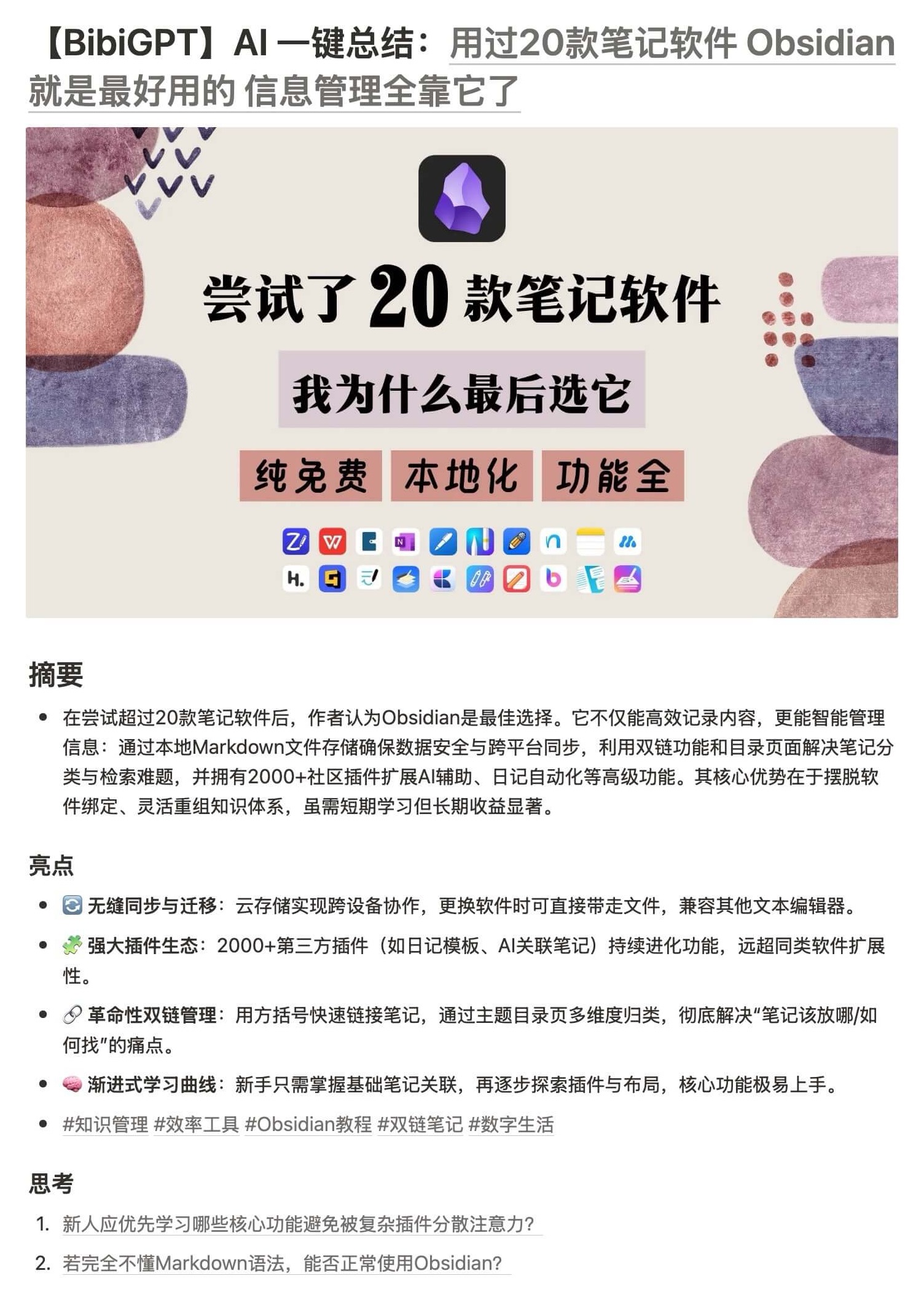 Notion preview
The goal? Transform every video into a reinforced building block in your knowledge system.
Frequently Asked Questions
Q: What's the difference between the Feynman Technique and regular note-taking? A: Regular notes record information; Feynman tests understanding by forcing you to explain it simply. BibiGPT automates the hardest step—extracting structured content from video—so you can jump straight into the explain → identify gaps → simplify cycle.
Q: Which video platforms does BibiGPT support for Feynman learning? A: BibiGPT supports YouTube, Bilibili, Douyin, Xiaohongshu, podcasts (Spotify, Apple Podcasts), and local audio/video files.
Q: Is the Feynman Technique effective for all types of videos? A: It works best for knowledge-dense content—tutorials, lectures, and science explainers. For entertainment, it's less useful, but BibiGPT's AI chat feature helps you dig deeper into any content type.
Experience BibiGPT now
Ready to try these powerful features? Visit BibiGPT and start your intelligent audio/video summarization journey!
Get startedStart Learning Smarter with BibiGPT
One-click summaries, mind maps, and AI Q&A—turn any video into lasting knowledge
AI YouTube summary
Generate instant AI summaries for YouTube videos with timestamp navigation and key takeaways.
AI Bilibili summary
Chinese-friendly summaries for Bilibili videos with accurate chapters and highlights.
AI podcast summary
Transcribe, search, and replay podcasts to capture the key talking points.
Conclusion
Learning has never been easy—but with a solid method (Feynman) and high-leverage tools (BibiGPT), you can automate the repetitive grunt work and focus on thinking, understanding, and creating.
Don't stop at "I watched it." Use BibiGPT to power your Feynman workflow and turn videos into durable expertise.
Want to push retention even further? Pair this with our BibiGPT + Anki Workflow for AI-Powered Memory and engrain knowledge through spaced repetition.
Start your AI-assisted learning journey at https://bibigpt.co.