Chat with Any Video: How to Ask AI Questions About Videos Instead of Watching the Whole Thing (2026)
Chat with Any Video: How to Ask AI Questions About Videos Instead of Watching the Whole Thing (2026)
Last updated: June 2026
Quick answer: You no longer have to watch a whole video to get one piece of information out of it. Paste the link, let AI turn its speech into searchable text, then ask your question in plain language — the AI answers and points you to the exact timestamp. With BibiGPT’s AI video summary extension you can do this on YouTube, Bilibili, podcasts, and 30+ other platforms.
You clicked a 90-minute lecture because someone said “the part about X is gold.” But where is the part about X? Twenty minutes of dragging the scrubber later, you still haven’t found it. The information is in there — you just can’t get to it without watching the whole thing.
That is the core frustration this guide solves. In 2026, you can treat any video like a document you talk to: ask a question, get an answer, click straight to the moment it came from. Below is exactly how “chat with video” works, when to use each approach, and how to turn a one-off question into a structured, reusable answer.
1. Why “watch the whole thing” is the wrong default
Video is linear. To know what minute 47 says, the old way is to play up to minute 47. Text is the opposite — a single Ctrl+F finds any word instantly. The reason video feels so heavy isn’t the content; it’s that it forces you to consume time you don’t have just to locate a few seconds that matter.
The fix is to stop treating video as something you watch and start treating it as something you query. Once the spoken words become text, the whole thing becomes askable. You stop being a passive viewer dragging a scrubber and become someone who interrogates the content directly.
Practical rule: If you only need one answer from a video, don’t watch it — turn it into text first, then ask the question.
The lecture below is a perfect example: it’s an hour-plus deep technical talk. Most people will never finish it. But you can still extract its answers without watching every minute.
Source: YouTube · a long lecture you can ask AI about instead of watching end to end
2. How chatting with a video actually works
There is no magic. “Chatting with a video” is a three-layer process you can picture clearly:
- Transcribe — the video’s speech becomes timestamped text. This is the video-to-text conversion step, and everything downstream depends on it.
- Index — that text is organized so the AI can match meaning, not just exact words.
- Answer — you ask a question, the AI finds the relevant passage, writes a direct answer, and keeps the source timestamp attached.
Because the answer stays tied to its source moment, you are never asked to “just trust the AI.” Every reply comes with a place you can click to verify. That is the difference between a vague summary and a real Q&A you can act on.
Practical rule: A good video answer always carries its source. If a tool gives you an answer with no timestamp to check, treat it with caution.
3. Asking the right question to a video
The quality of your answer depends on the quality of your question. With chat-with-video, you do not need to remember the exact words spoken — you describe what you want in your own language.
Useful question shapes:
- Fact lookup — “What number did the speaker give for the 2026 growth rate?”
- Definition — “How does the host define ‘product-market fit’ here?”
- Comparison — “Does the guest agree or disagree with the standard view, and why?”
- Action — “What are the exact steps they recommend, in order?”
You can also follow up. Ask one question, read the answer, then drill in: “and what did they say is the most common mistake?” The conversation builds on itself, which is how you turn a foggy memory into a precise, sourced answer.
The interactive demo below lets you experience asking a video a follow-up and getting an answer with its source moment:
Ask the video a question
Watched it but still unsure? Ask follow-ups and get answers grounded in the transcript.
Tap a question:
Demo: BibiGPT AI follow-up feature
4. Jumping straight to the timestamp
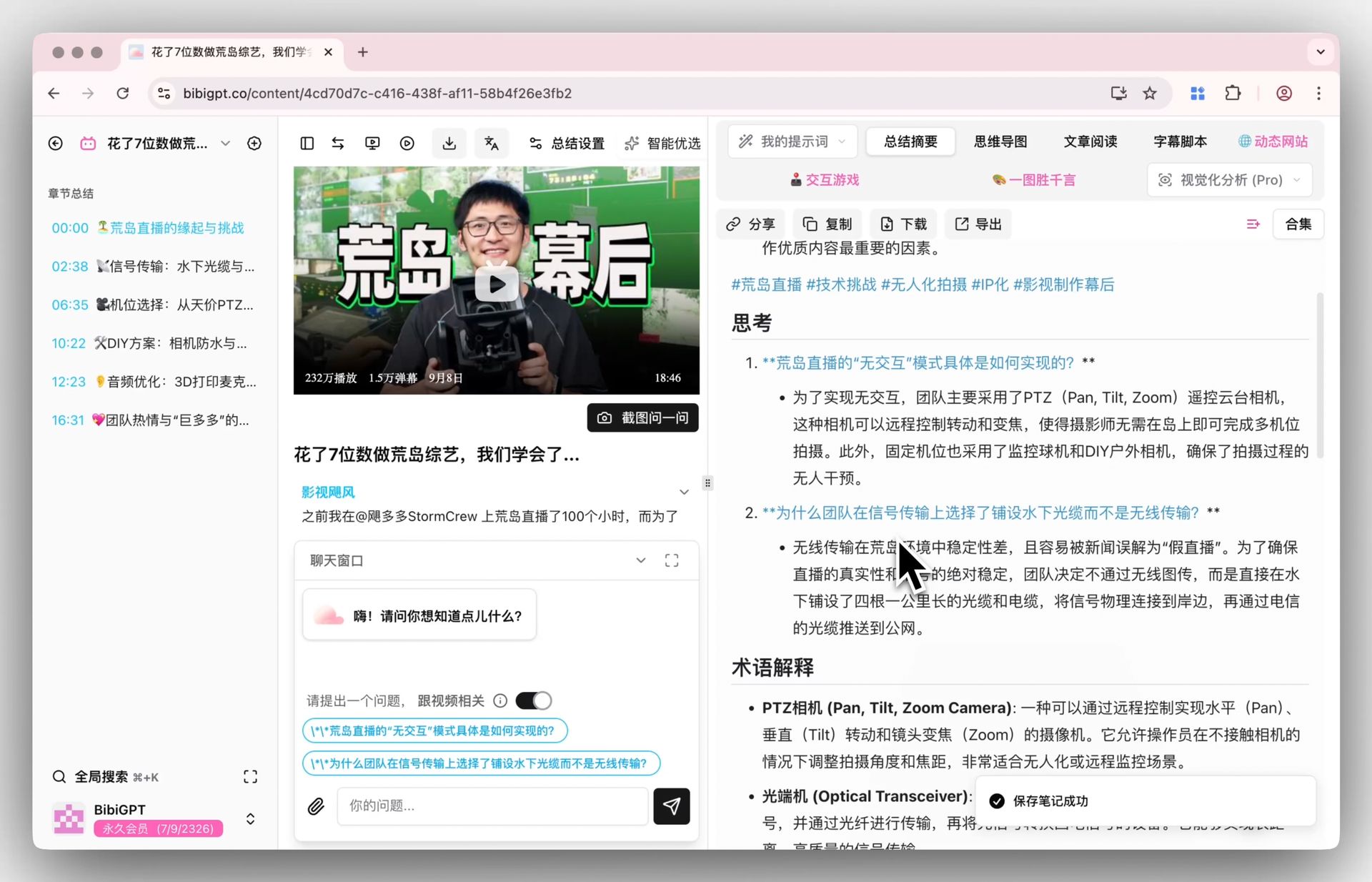
An answer is good; an answer you can verify in one click is better. The whole point of chat-with-video is that the AI does not just tell you “the speaker said X” — it shows you where, so a single click drops you at that exact second of the video.
This matters most when accuracy is non-negotiable: a financial figure, a medical claim, a quoted statistic, a legal point. You read the AI’s answer, click the timestamp, and hear it in the speaker’s own words in context. No more re-watching ten minutes to confirm one line.
Screenshot: BibiGPT · AI summary with follow-up questions
Practical rule: For anything you’ll quote or rely on, always click through to the timestamp — read the answer, then confirm it at the source.
5. Asking across many videos at once
One video is the easy case. Real research lives across many. You watch a dozen videos on the same topic and the hard question isn’t “what did this one say” — it’s “do these sources agree, and where do they conflict?”
This is where cross-video Q&A changes the game. Group related videos into a collection, then ask the whole collection a question. The AI reads across every video in the set and answers with comparisons, points of agreement, and contradictions — each backed by which video it came from.
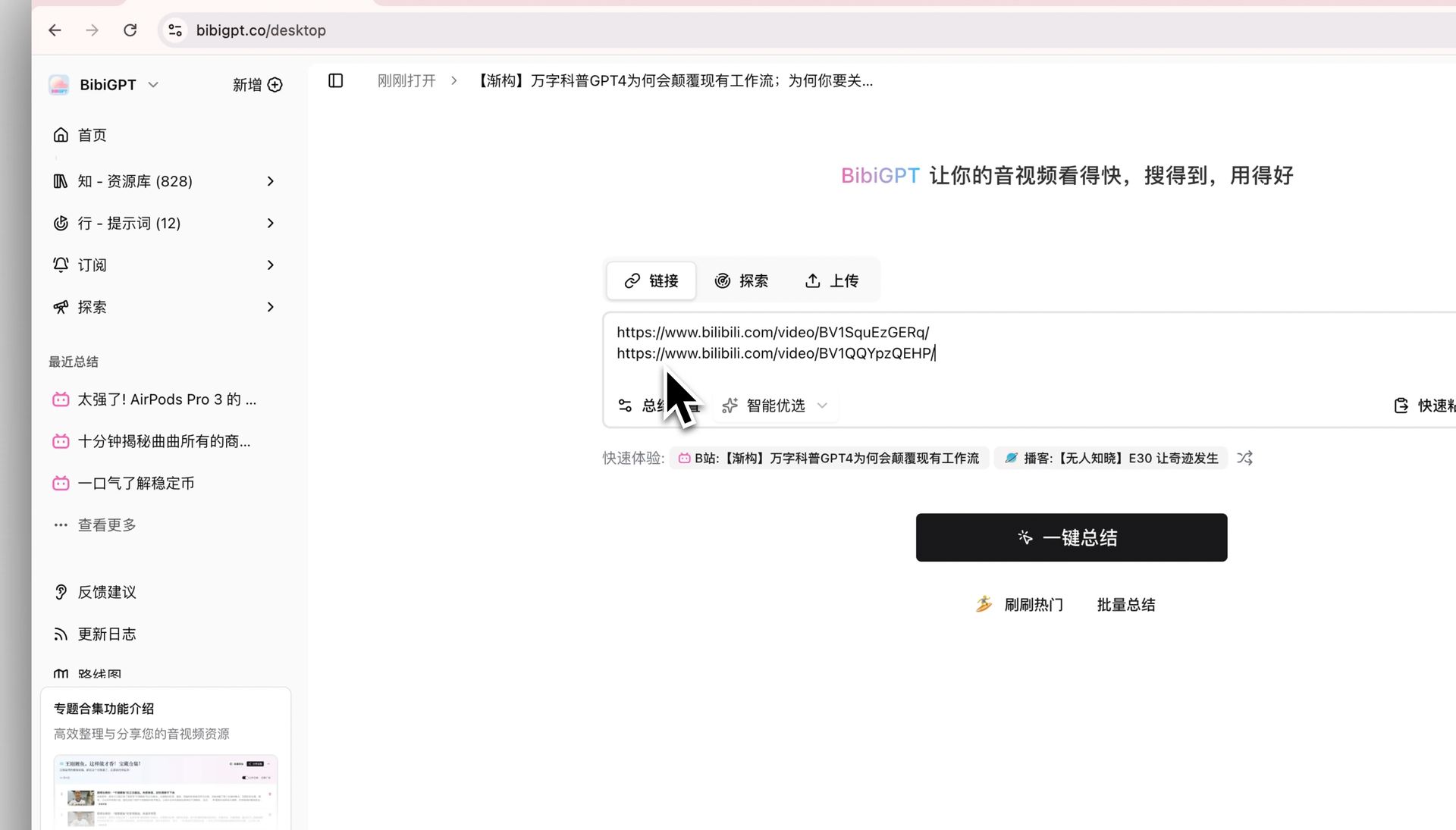
Screenshot: BibiGPT · batch summary feature
You can also paste a single link first and experience the “link in → readable key points out” flow before scaling up to a collection. The interactive demo below shows it directly:
Summarize any video in seconds
Pick a sample below to see the AI summary — TL;DR, key points, and jump-to timestamps.
TL;DR: Karpathy builds a GPT-style language model from scratch in code, explaining every piece — from a tiny character-level model up to the full Transformer.
Key points
- Start with a bigram model, then add self-attention so tokens can "talk" to each other
- A Transformer block = multi-head attention + feed-forward + residual connections + layer norm
- Training is just predicting the next token; scale and data do the rest
- The same architecture behind nanoGPT is what scales up to ChatGPT
Jump to
- 00:07 Why build GPT from scratch
- 08:23 Self-attention, intuitively
- 1:00:00 Assembling the Transformer block
- 1:35:00 From nanoGPT to ChatGPT
Demo: BibiGPT video summary feature
Practical rule: For a single video, ask it directly; for a topic spread across many videos, group them into a collection and question the whole set at once.
6. Turning a question into structured knowledge
A single answer is useful in the moment. But the people who get the most out of video don’t stop at “I got my answer” — they turn each session into something they can reuse. A Q&A thread becomes notes; notes become an outline; an outline becomes a mind map you can read at a glance.
The flow looks like this:
- Ask your questions and collect the sourced answers.
- Keep the timestamps so every claim stays verifiable.
- Reshape the answers into a structured outline or mind map.
- Save it to a collection so the next person — or future you — starts from knowledge, not from a blank scrubber.
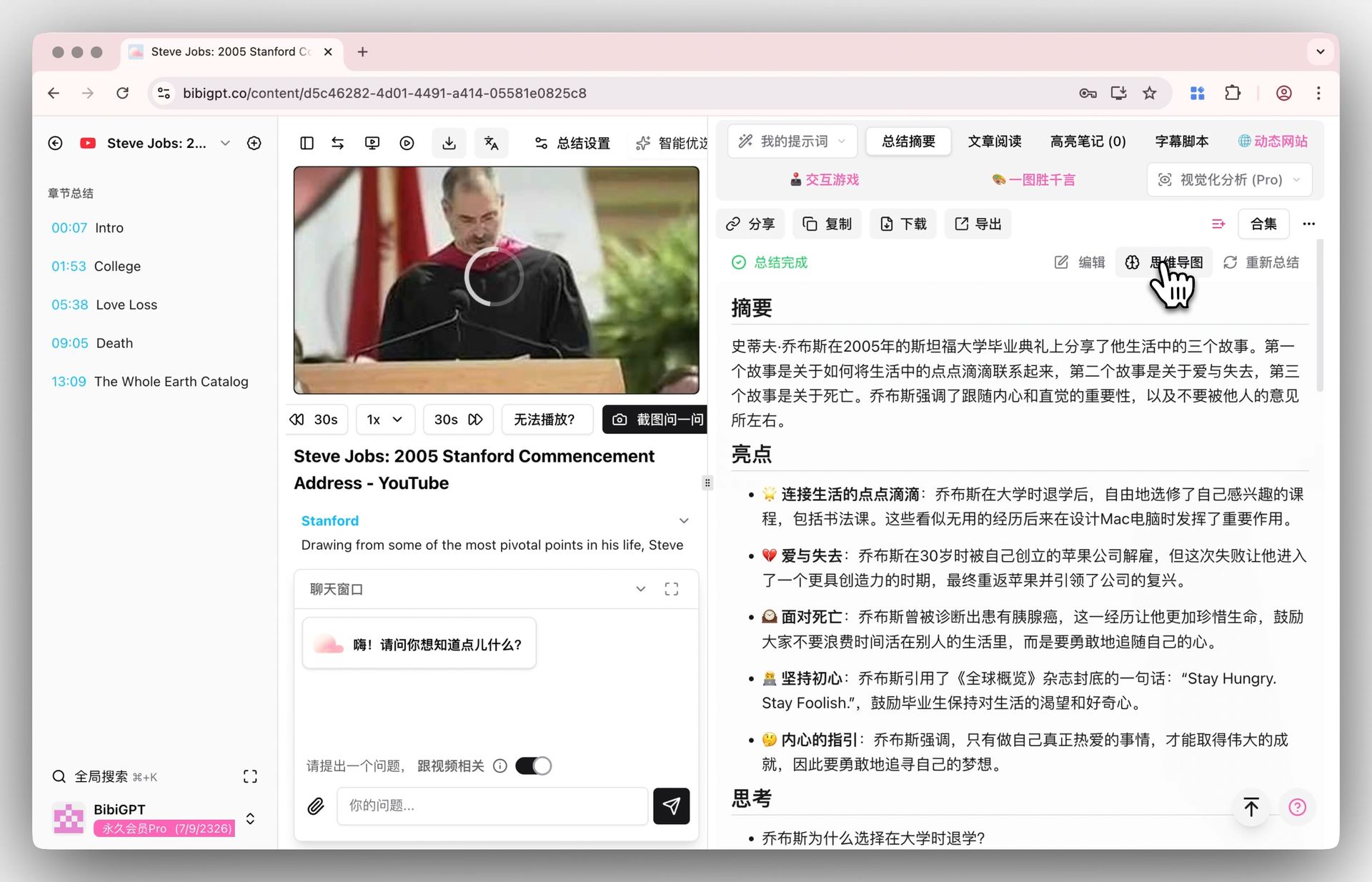
Screenshot: BibiGPT · mind map entry
This is the quiet superpower of chat-with-video: it doesn’t just save you the watching time, it leaves you with a structured artifact you didn’t have before.
7. Putting it together: a workflow you can run today
Here is the full loop, end to end, for any video that’s too long to watch but too important to skip:
- Paste the link into BibiGPT and let it produce a timestamped, readable summary.
- Ask your specific question in plain language.
- Read the answer and click the timestamp to confirm at the source.
- Follow up to drill deeper — the conversation builds on itself.
- For a topic, group several videos into a collection and ask across all of them.
- Reshape the best answers into a mind map or notes and save them.
If you’re new to this, the gentlest on-ramp is summarizing first — see how to summarize YouTube videos with BibiGPT — and once you’re comfortable, how to use AI to learn from videos shows how to push from “getting answers” to “actually learning.” BibiGPT supports 30+ platforms, serves 1M+ users, and has powered 5M+ summaries, so whatever you paste, you’ll likely be able to chat with it.
The shift is simple but total: you stop watching videos to find information and start asking videos for it. Hours of footage become a conversation you can have in minutes.
Try it now
Next time a video is too long to watch but too important to skip, don’t drag the scrubber — paste the link, ask your question, and let the AI find the answer with its source moment attached.
BibiGPT Team