Bluedot Apple Watch vs BibiGPT: Which AI Note-Taking Tool Is Better for International Students?

The short answer: These two tools solve different links in the same learning chain, and your choice comes down to one thing — is most of your coursework delivered in live in-person lectures or as Zoom replays and recorded video? Mostly in-person → pick Bluedot’s Apple Watch recording (invisible capture, automatic transcription afterward). Mostly recordings and replays → pick a post-hoc AI video summarizer (paste a link, and it compresses a two-hour lecture into queryable key-point notes in minutes). Their monthly prices are close; the real difference is whether you need to solve the live capture side or the digesting-the-recording side.
Picture this: you’re sitting in a lecture hall, the professor is racing through slide 20, your hand is writing as fast as it can, and in the back of your mind you’re wondering — when does the Zoom recording come out? Should I tap my Apple Watch to start recording right now? During exam weeks, every decision about how you capture and process course content can make or break your study efficiency.
In 2026, AI note-taking tools split into two clear camps: real-time recording and post-hoc digestion. Bluedot launched Apple Watch lecture recording, built around wrist-based, bot-free capture. BibiGPT focuses on processing recorded video after the fact — helping you quickly extract the key points from Zoom replays, Coursera courses, and YouTube lectures. This isn’t a question of which is better overall; it’s a question of which fits your specific context. Below, real scenarios, current pricing, and a dimension-by-dimension table help you decide in 30 seconds.
What Is Bluedot Apple Watch, and What Problem Does It Solve?
Bluedot is a bot-free AI meeting/recording note taker that added Apple Watch recording in 2026. The core idea is simple: move the recording trigger to your wrist so you never have to pull out your phone in class.
Tap once on your watch to start, record throughout the session, and the audio is automatically uploaded and transcribed afterward. Bluedot transcribes in 100+ languages — English, Mandarin, Spanish, French, Japanese, Korean, and more — making it genuinely useful in multilingual university environments. Critically, it’s bot-free: no meeting bot needs to be added to your Zoom, Google Meet, or Teams call, so it works for in-person and hybrid classes alike. Bluedot even lists “students recording lectures” as an official use case.
Key specs (data from Bluedot’s official pricing page):
- Hardware: Apple Watch (used alongside the phone app)
- Free tier: 5 meetings / lifetime (1-hour max per recording) — closer to a trial
- Paid: Basic $14/month (annual; $18 monthly, audio-only, 1-hour cap per recording); Pro $20/month (annual; $25 monthly, video included, unlimited recording length)
- Features: Real-time capture → automatic transcription → built-in AI Q&A across multiple recordings
- Best for: In-person lectures, classroom discussions, office hours, group meetings
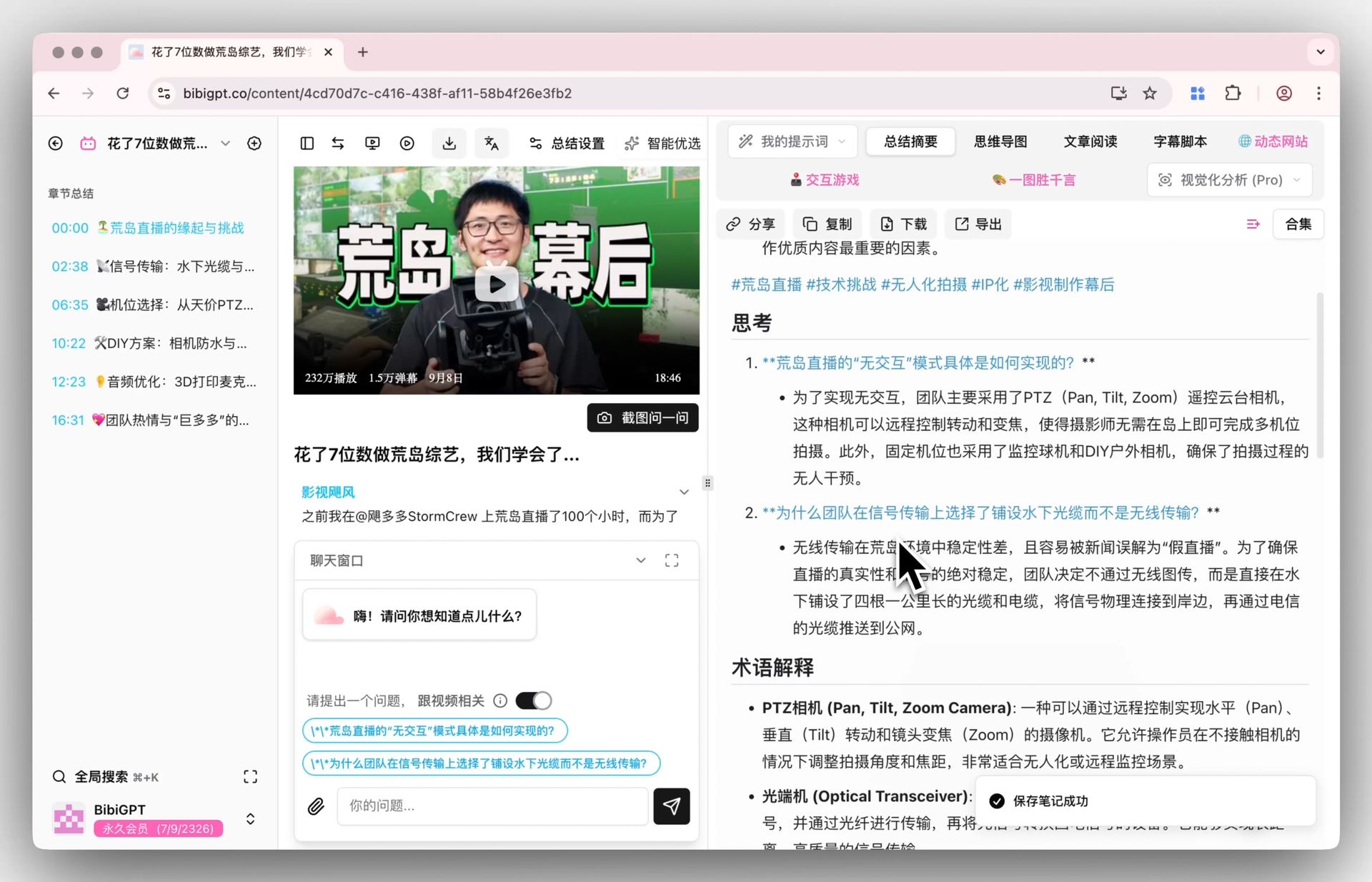
Screenshot: BibiGPT’s AI conversation lets you ask the video what’s likely to appear on your exam
Practical rule: Bluedot’s Apple Watch mode solves the specific awkwardness of “I can’t pull out my phone in this lecture” — a tap on the wrist, and you’re recording invisibly.
Bluedot’s limitations are equally clear: its strength is live, in-person capture. For students whose courses arrive mostly as Zoom recordings or online video, it offers no particular advantage. And the free tier is just 5 lifetime meetings (1 hour each) — real long-term use means a subscription.
What Is BibiGPT, and What Problem Does It Solve?
BibiGPT operates on a completely different premise: you don’t need to do anything during class at all — just wait for the recording, paste the link, and let AI do the digesting for you.
It supports 30+ content platforms: Zoom replay links, Coursera, edX, YouTube, and local file uploads. The output isn’t just a raw transcript — it’s a structured deep summary with timestamps, a mind map, and most importantly, full-context AI Q&A: you can ask things like “How did the professor derive that formula at minute 45?” and get a contextual answer grounded in the whole video.
Key specs:
- Hardware required: None (works on phone, computer, or any browser)
- Price: approx. ¥99/month (~$14)
- Features: Video link/file → AI deep summary + timestamps + mind map + AI conversation
- Languages: Chinese, English, Japanese, Korean, Traditional Chinese
- Best for: Reviewing Zoom replays, catching up on Coursera/edX, consuming YouTube lectures, digesting recorded seminars
- Supported platforms: Zoom recording summary, YouTube, podcasts, and 30+ more
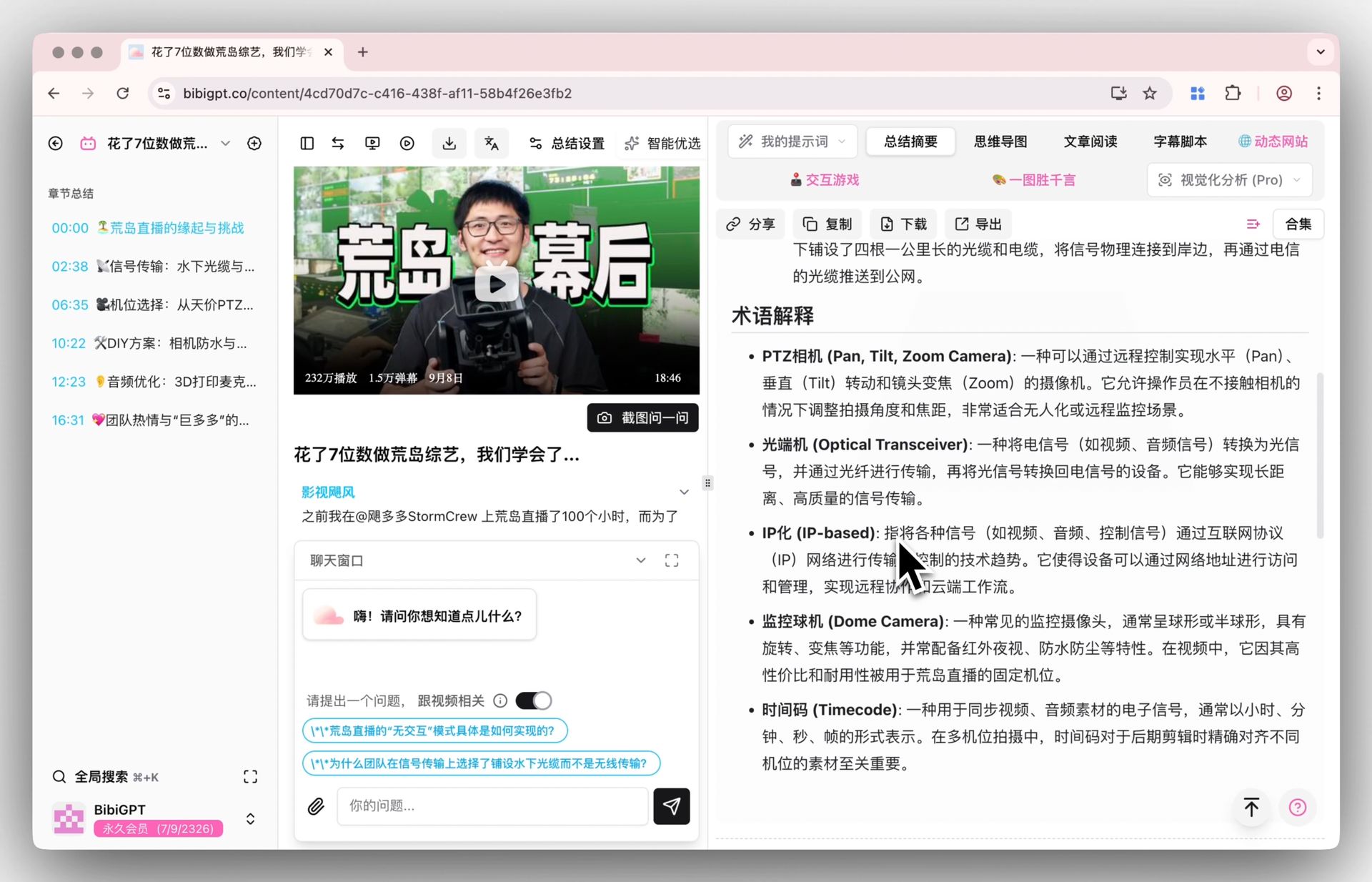
Screenshot: Paste a Zoom replay link and get a structured, queryable lecture summary in minutes
Practical rule: Your study efficiency isn’t measured by how much you recorded — it’s measured by how quickly you can pull “what will be on the exam” out of a recording. That’s the actual problem worth solving.
Learning science quantified this pain long ago: according to a classic replication of the Ebbinghaus forgetting curve (published in PLOS ONE), people forget roughly 70% of new information within a single day. AI-assisted review of a recording isn’t a shortcut — it’s how you win back that lost 70%.
BibiGPT’s limitation: it works on recordings that already exist. Real-time classroom discussions, whiteboard content, and in-the-moment Q&A that wasn’t captured on video simply can’t be processed after the fact.
Bluedot vs BibiGPT Feature Comparison Table
| Dimension | Bluedot Apple Watch | BibiGPT |
|---|---|---|
| Core mode | Real-time wrist recording + transcription | Post-hoc processing of video links/files |
| Hardware required | Apple Watch + phone | Phone / computer / any browser |
| Platform coverage | In-person lectures / live Zoom capture | Zoom replays / Coursera / YouTube / 30+ platforms |
| Free tier | 5 meetings / lifetime (≤1 hour each) | Daily quota |
| Paid price | Basic from $14/mo (annual); Pro $20/mo | |
| AI Q&A | Yes (across multiple recordings) | Yes (full-context across whole video) |
| Languages | 100+ transcription languages | Chinese / English / Japanese / Korean / Traditional Chinese output |
| Offline recording | ✓ | ✗ |
| Structured summary / mind map | ✗ | ✓ |
| Timestamp navigation | ✗ | ✓ |
Decision filter: Ask yourself one question — is the majority of my course content delivered in live in-person lectures, or in recorded video form? Live lectures → Bluedot. Recorded video → BibiGPT.
Scenario-by-Scenario Recommendations for Exam Season
Scenario A: Your courses are mostly in-person lectures, and you have an Apple Watch
Recommendation: Bluedot
For a full semester with 3–4 in-person lectures per week, the 5-meeting lifetime free tier clearly won’t last — subscribe (Basic from $14/month). Use Bluedot to capture every lecture, then review the AI transcript within 1–2 hours while it’s still fresh. If you also need to keep whiteboard or slide visuals, you’ll want the video-capable Pro ($20/month).
Scenario B: Your courses are primarily delivered via Zoom recordings / Coursera / edX
Recommendation: BibiGPT
Paste each Zoom replay link directly into BibiGPT. You don’t need to watch the full 2-hour recording — read the AI deep summary, ask targeted follow-up questions, and you can digest a 2-hour lecture in under 30 minutes.
Scenario C: Mixed (both in-person lectures and substantial recorded course content)
Recommendation: Use both, divided by content type
Here’s an executable workflow:
- In-person lecture: Start Bluedot on your Apple Watch — invisible, hands-free
- After class: Bluedot auto-transcribes; scan through to confirm key concepts
- Zoom replays / online courses: Paste into BibiGPT and get a structured summary
- One week before exams: Use BibiGPT’s AI conversation feature to batch-query across all your recorded lectures
- Three days before exams: Build a cheat sheet based on BibiGPT’s mind maps, with your own edits
- Night before: Ask BibiGPT “what question types are most likely for this topic”
- Exam day: Study only from your hand-curated cheat sheet — close all AI tools
The core principle of this workflow: let AI cover everything first, then apply your own judgment as the final filter — not as a substitute for thinking, but as a first-pass that surfaces the 20% of content worth your focused attention.
Pricing and Real-World Cost Analysis
International students typically spend a few dozen dollars a month on study tools (office suites, writing assistants, academic databases, and so on). In that context, the math looks like this:
| Tool | Monthly cost | Ideal usage | Annual cost |
|---|---|---|---|
| Bluedot free | $0 | 5 meetings / lifetime, ≤1 hour each | $0 |
| Bluedot Basic | $14/month (annual) | Unlimited audio-only meetings, ≤1 hour each | $168/year |
| Bluedot Pro | $20/month (annual) | Video included, unlimited recording length | $240/year |
| BibiGPT Plus | Multiple videos per day, ideal for online-heavy schedules | ~$168/year | |
| Both combined | ~$28/month and up | Mixed learners | ~$336/year and up |
Practical rule: The entry tiers cost roughly the same. The value is in how well each fits your course format. If more than 50% of your courses are in-person, Bluedot alone makes more sense. If recorded video dominates, BibiGPT alone is enough. For genuinely mixed schedules, stacking both still delivers strong ROI — the time you save on review during exam season is worth far more than the monthly fee.
FAQ
Is Bluedot’s free tier enough for a whole semester?
Not really. Bluedot’s free tier is 5 lifetime meetings, 1 hour each — more of a trial. A real semester of dozens of lectures means subscribing to Basic (from $14/month) or the video-capable Pro ($20/month). If your courses are mostly recordings/replays, processing links with BibiGPT’s daily quota is more economical.
Can Bluedot process Zoom recording files?
Yes, but it’s not Bluedot’s core strength. Bluedot is optimized for real-time recording. If your main need is processing Zoom replay links, BibiGPT’s Zoom recording summary feature is more direct — just paste the link, no file download required.
Can BibiGPT handle a real-time recording from today’s class?
Not in real time. BibiGPT requires an existing recording file or video link. After class, you can upload an audio or video file (MP3, MP4, etc.) for processing — but there’s no live capture mode. For real-time needs, Bluedot is the right tool.
Can I use Bluedot without an Apple Watch?
Yes. Bluedot has Mac and Windows desktop apps that can record your computer’s Zoom or Teams meetings without an Apple Watch. But if your primary use case is discreet in-class recording, the Apple Watch is where its unique value lies.
Does BibiGPT support English video with Chinese output?
Absolutely — and this is one of BibiGPT’s most useful features for international students. Paste an English Zoom recording or YouTube lecture link, select your output language, and you get a summary plus AI Q&A in that language. For students whose English comprehension hasn’t yet hit “real-time note-taking fluency,” this is the highest-leverage feature available.
In the last two weeks of exam season, which tool helps more?
If your exam prep relies primarily on reviewing existing recordings (Zoom replays, Coursera lectures), BibiGPT delivers more value in those two weeks — rapid digestion of multiple courses’ video content, with AI Q&A to zero in on key points. If you still have in-person review sessions or professor office hours those two weeks, use Bluedot to capture them as supplemental material.
Summary: Two Tools, Two Learning Paths
Bluedot Apple Watch and BibiGPT both address the same large problem — how to digest more course content in less time — but they each solve a different piece of it.
- If your courses happen primarily in a physical classroom, Bluedot’s hands-free capture is genuinely irreplaceable.
- If your courses primarily exist as recorded video (Zoom replays, Coursera, YouTube), BibiGPT’s post-hoc digestion efficiency is higher, with no extra hardware required.
- If you’re a mixed learner, combining both tools — each handling its own optimal scenario — is the highest-ROI study workflow available right now.
Stop deliberating and run the workflow from this article with a real example — paste your first Zoom replay link into BibiGPT and see how much you can digest in 30 minutes. Let the results guide your decision.
Further reading:
- Zoom Recording AI Summary Feature
- AI Deep Summary (Video Summarizer)
- AI Conversation Feature Guide
- AI Lecture Recorder & Note Taker Explained
- Bluedot Apple Watch AI Notes Explained
- Best AI Study Tools for International Students 2026
- Bluedot Official Website
- Ebbinghaus Forgetting Curve Replication (PLOS ONE)
BibiGPT Team
Popular tools
More in this series
- How to Add Subtitles and Summarize English MOOC Courses: A Coursera / edX / Udemy Speed Guide for Students (2026)
- AI Study Board: Extract Online Course Slides & Build Your AI Enhanced Study Dashboard
- How AI Helps Students Learn from Online Lectures and Course Videos (2026 Complete Guide)
- AI Lecture Video Summarizer for Students: Watch a Whole Semester in a Week (2026 Guide)
- 2026 के सबसे अच्छे AI पॉडकास्ट स्टडी टूल्स: लेक्चर को ऑडियो में बदलने के लिए YouLearn बनाम NotebookLM बनाम BibiGPT