Tana vs BibiGPT: Knowledge-Graph PKM vs Multi-Platform AI Video Summarization (2026 Comparison)
Tana vs BibiGPT: Knowledge-Graph PKM vs Multi-Platform AI Video Summarization (2026 Comparison)
80-word direct answer: Tana is a supertag-driven knowledge-graph PKM tool (best for managing thoughts, CRM, projects, reading notes with structured fields). BibiGPT is an AI video & audio summarizer (native support for YouTube, Bilibili, Xiaohongshu, Douyin, podcasts — 30+ platforms — turning video into structured notes). Their scenarios barely overlap. The right combo: Tana as the knowledge container, BibiGPT as the content entry point — summarize videos with BibiGPT, then import into Tana to form your knowledge graph.
Tana users ask: “If I have Tana, do I still need BibiGPT?” BibiGPT users ask: “What’s Tana? Should I switch?”
The answer: They solve different problems. This article draws the boundary clearly.
TL;DR: Tana vs BibiGPT Decision Matrix
| Your need | Recommended |
|---|---|
| Manage thoughts / reading notes / projects with structured fields | Tana |
| Summarize YouTube / Bilibili videos into structured notes | BibiGPT |
| Process Xiaohongshu / Douyin / podcasts | BibiGPT (Tana can’t take audio/video directly) |
| Connect notes into a knowledge graph via supertags | Tana |
| Q&A inside video content | BibiGPT |
| Team collaboration | Tana |
| Multilingual native (zh/ja/ko) | BibiGPT (Tana is English-first) |
| AI-generated meeting notes | Both work (Tana AI Tag / BibiGPT recording upload) |
Best combo: BibiGPT as content entry (turning videos/podcasts into Markdown) → Tana as knowledge container (linking via supertags).
1. What Is Tana? Why Is It Hot in 2026?
Tana is a knowledge-graph PKM tool built by ex-Roam Research engineers. Public beta in 2024-2025; explosive growth in 2026 thanks to its AI-Native + supertag combination.
Core features:
- Supertag: any note can wear multiple tags; tags carry structured fields (e.g., #book auto-includes author / status / rating)
- AI Tag: a tag can trigger AI to auto-fill fields (mark text as #meeting → AI extracts attendees, action items)
- Node-level linking: each note is a node — bidirectional links, embeds, references
- Real-time collaboration: team workspaces, multi-cursor editing
Scenario: Manage all your thinking, reading, projects, meetings, CRM as “structured data,” with tags + AI doing the organization.
2. What Is BibiGPT? Different Species
BibiGPT is the leading AI video & audio summarizer:
Core features:
- 30+ platforms native support (YouTube, Bilibili, Xiaohongshu, Douyin, podcasts, local files)
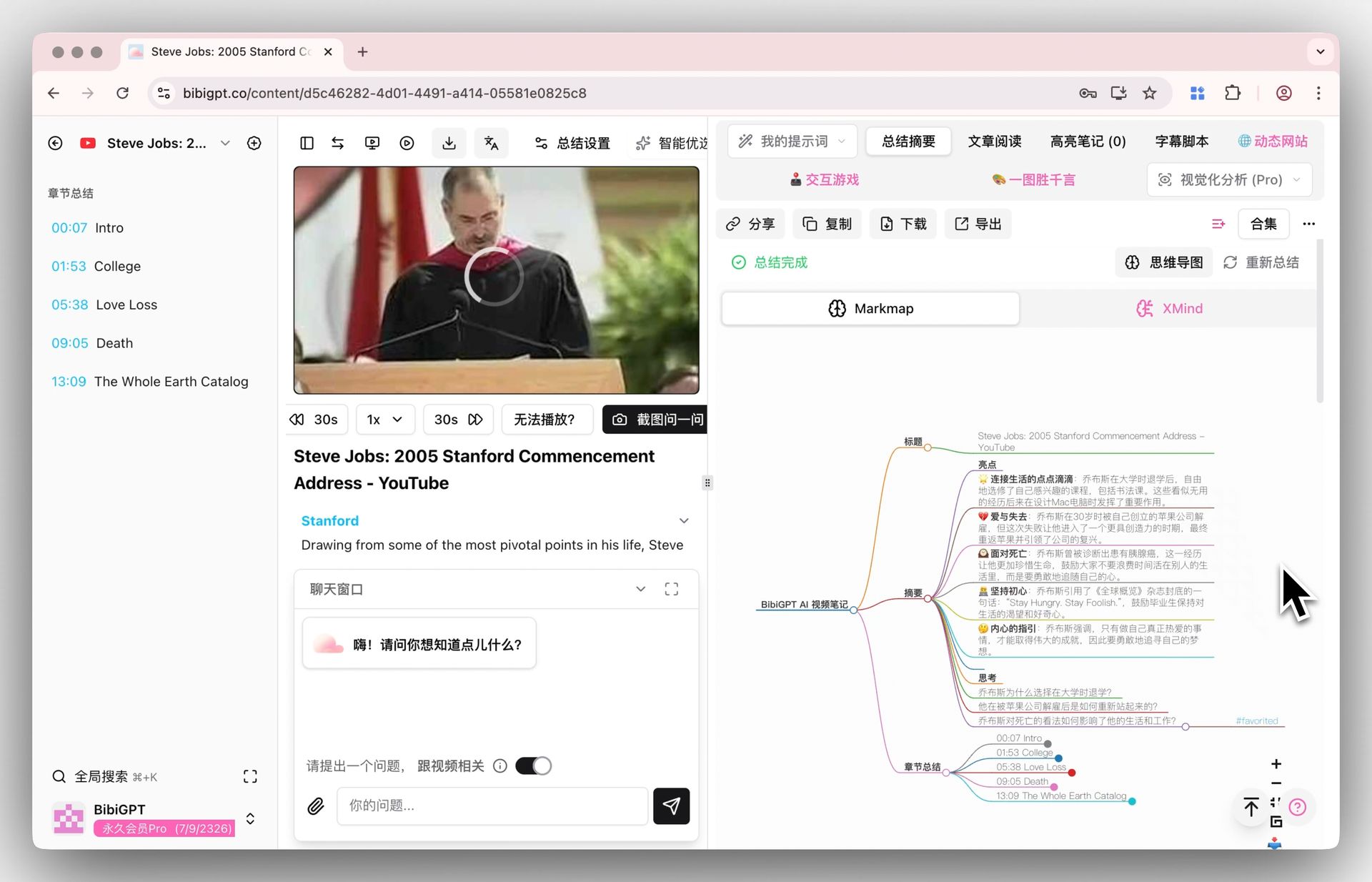
- AI summary + mind map + chapter deep-read + timestamp jump
- AI Q&A (grounded in video content)
- Multilingual (zh/en/ja/ko/zh-TW)
- One-click export to Notion / Obsidian / Feishu / Markdown / WeChat
Scenario: You see a video / podcast → paste URL → BibiGPT compresses it into notes → you continue work with the BibiGPT output.
3. Six Dimensions of Comparison
3.1 Knowledge Sources
| Source | Tana | BibiGPT |
|---|---|---|
| Text note input | ✅ Core | ⚠️ Not core |
| Web Clipper | ✅ | ❌ |
| Document upload (PDF / Markdown) | ✅ | ⚠️ Partial |
| YouTube videos | ❌ Not directly (third-party plugin needed) | ✅ Core |
| Bilibili / Xiaohongshu / Douyin | ❌ | ✅ Core |
| Podcasts (Apple/Spotify/小宇宙) | ❌ | ✅ |
| Meeting recordings | ⚠️ (Tana AI handles transcripts) | ✅ |
Conclusion: Tana isn’t built for raw audio/video input; BibiGPT isn’t built for handwritten notes input.
3.2 Structured Output
| Output type | Tana | BibiGPT |
|---|---|---|
| Notes + tag fields | ✅ Strong supertag | ⚠️ Simple tags |
| Knowledge graph / bidirectional links | ✅ Core | ❌ |
| Mind map | ❌ | ✅ |
| Chapter deep-read + timestamps | ❌ | ✅ |
| Markdown export | ✅ | ✅ |
| Direct blog publishing | ❌ | ⚠️ (via Notion bridge) |
Conclusion: Tana excels at “knowledge-graph structured output”; BibiGPT excels at “video-content structured output.”
3.3 AI Capabilities
| AI feature | Tana | BibiGPT |
|---|---|---|
| Text content auto-classification | ✅ AI Tag | ⚠️ Indirect |
| Video content AI summary | ❌ | ✅ Core |
| Cross-note AI Q&A | ⚠️ Beta | ✅ (in video content) |
| Auto-extract action items | ✅ | ✅ |
| Multi-model routing (GPT/Claude/Gemini) | ⚠️ Single model | ✅ |
| Native non-English LLM | English-first | zh/en/ja/ko/zh-TW native |
Conclusion: Tana’s AI shines at “structuring text”; BibiGPT shines at “understanding audio/video.”
3.4 Multilingual
| Language | Tana UI | Tana AI output | BibiGPT UI | BibiGPT AI output |
|---|---|---|---|---|
| English | ✅ Native | ✅ Native | ✅ Native | ✅ Native |
| Chinese | ⚠️ Translated | ⚠️ Generic | ✅ Native | ✅ Native |
| Japanese | ⚠️ Translated | ⚠️ Generic | ✅ Native | ✅ Native |
| Korean | ❌ Not supported | ❌ | ✅ Native | ✅ Native |
Conclusion: Asian-language users get a limited Tana experience. BibiGPT is natively optimized for these markets.
3.5 Collaboration
| Dimension | Tana | BibiGPT |
|---|---|---|
| Team workspace | ✅ Core | ⚠️ Personal-first |
| Real-time multi-edit | ✅ | ❌ |
| Permissions | ✅ | ⚠️ Simple share |
| Note sharing | ✅ | ⚠️ Personal export |
Conclusion: Tana is team-grade PKM; BibiGPT is a personal content tool.
3.6 Pricing
| Tier | Tana | BibiGPT |
|---|---|---|
| Free | ✅ Personal limited | ✅ Daily quota |
| Pro / Plus | $14/mo | From $5/mo |
| Team | $14/seat/mo+ | No team plan yet |
| Lifetime | ❌ | ✅ (early-bird discount) |
Conclusion: BibiGPT entry price is lower; Tana team pricing fits enterprises.
4. The Best Combo: Tana × BibiGPT Workflow
Not either/or — complementary. Real-world combo flows:
Flow: From Video Learning to Knowledge Consolidation
- Find a YouTube / Bilibili video worth learning
- Paste URL into BibiGPT → 30s-3min for structured summary + mind map
- Export to Markdown (one-click)
- Import into Tana: paste Markdown into Tana, apply #video-note supertag
- Tana AI auto-fills: identifies topics, key concepts, referenced papers from the note content
- Auto-link existing nodes: Tana suggests bidirectional links (e.g., “GPT training” notes auto-connect)
- Knowledge graph builds over time: your Tana library accumulates a rich graph rooted in BibiGPT video notes
Flow: From Podcast to Content Creation
- Listen to a 90-min Lex Fridman / Acquired podcast
- Paste URL into BibiGPT → structured summary
- Export to Tana, apply #podcast-note tag
- Write in Tana — synthesize multiple #podcast-note entries into a long-form essay
- Export Markdown and publish
5. FAQ
Q1: Can Tana process YouTube videos directly?
A: Tana itself can’t. Use BibiGPT to convert to Markdown first, then import. Or save URLs via Web Clipper (URL only, not content).
Q2: Can BibiGPT build a knowledge graph?
A: BibiGPT compresses single videos into structured notes but doesn’t link across notes. That’s Tana / Obsidian / Roam territory.
Q3: Is Tana’s AI Tag stronger than BibiGPT’s AI summary?
A: Different scopes. AI Tag is great for “structuring existing text”; BibiGPT specializes in “understanding audio/video.” The former is downstream of the latter.
Q4: Should I pick Tana or Obsidian?
A: Outside this article, but briefly: Tana = “AI + collaboration + supertag structure”; Obsidian = “local markdown + flexible plugins + bidirectional linking.” Both work with BibiGPT.
Q5: After importing BibiGPT notes to Tana, can I keep doing AI on them?
A: Yes. Tana AI Tag can re-structure imported content (extract concepts, link existing nodes). That’s the combo’s biggest payoff.
Q6: How is Tana’s learning curve?
A: Steeper than Notion, gentler than Obsidian. Supertag concepts take 1-2 weeks. BibiGPT has nearly zero learning curve — paste a link, you’re done.
Fastest path from video to notes → bibigpt.co. Related: Granola vs BibiGPT comparison | NoteGPT alternatives | Obsidian + BibiGPT video notes workflow