Exam Cram: Use AI to Condense a Whole Semester of Online Courses into a Sprint Outline & Flashcards (2026 Study-Abroad Method)
Exam Cram: Use AI to Condense a Whole Semester of Online Courses into a Sprint Outline & Flashcards (2026 Study-Abroad Method)
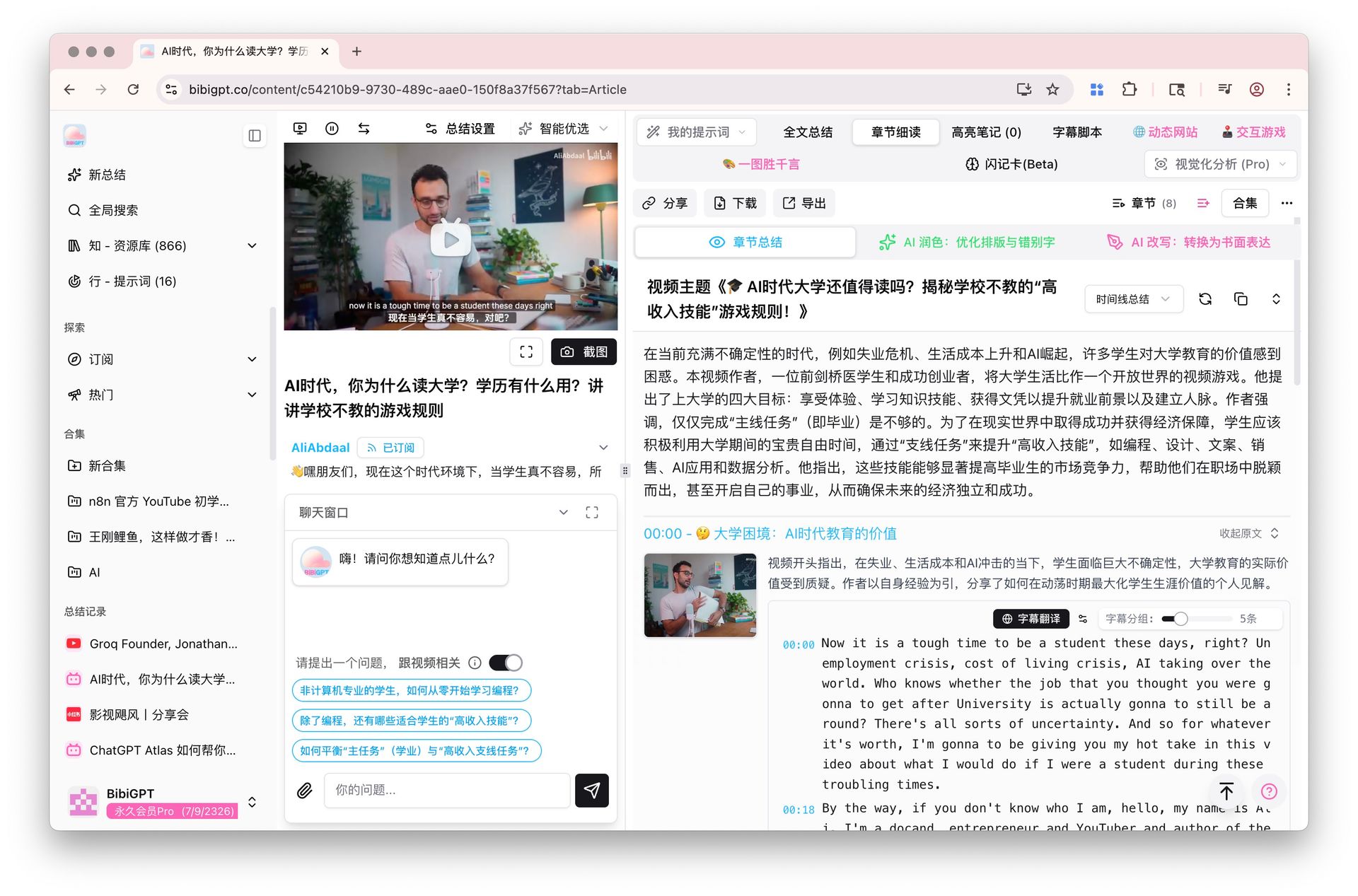
Quick answer: When finals are days away and you haven’t finished the semester’s lectures, the effective move isn’t replaying every recording from the top—it’s a three-step Condense → Outline → Flashcards method: use AI to compress each recording into takeaways, merge a semester of takeaways into one sprint outline, then turn the highest-yield exam points into flashcards to drill. Paste your Zoom lecture or Coursera recording into BibiGPT and get structured takeaways in a minute—the first brick of your sprint outline.
The demo below shows the “paste a recording link → get structured takeaways” flow:
Summarize any video in seconds
Pick a sample below to see the AI summary — TL;DR, key points, and jump-to timestamps.
TL;DR: Karpathy builds a GPT-style language model from scratch in code, explaining every piece — from a tiny character-level model up to the full Transformer.
Key points
- Start with a bigram model, then add self-attention so tokens can "talk" to each other
- A Transformer block = multi-head attention + feed-forward + residual connections + layer norm
- Training is just predicting the next token; scale and data do the rest
- The same architecture behind nanoGPT is what scales up to ChatGPT
Jump to
- 00:07 Why build GPT from scratch
- 08:23 Self-attention, intuitively
- 1:00:00 Assembling the Transformer block
- 1:35:00 From nanoGPT to ChatGPT
Demo: BibiGPT one-click video summary
1. Days Before the Exam, “Replaying Everything” Is a Losing Path
Finals look the same for most international students: a semester’s worth of Zoom recordings and a few Coursera courses pile up, and you realize days before the exam that more than half is still un-watched. The instinct is to “start from lecture one”—and that’s the biggest trap of exam season.
Do the math: a 90-minute class times 12 weeks is 18 hours of pure playback. With 3 days left and other subjects to revise, you simply don’t have 18 hours. Replaying everything is doomed to fail, and you spiral into “the more I watch, the more panicked I get.”
Practical rule: The goal before an exam isn’t “watch everything”—it’s “cover the most likely-to-be-tested material in limited time.” Condensing beats replaying a hundred times over.
The right approach is the reverse: compress long content into short takeaways first, filter exam points out of those takeaways, and spend your time only on what’s most likely to appear on the paper.
2. The Three-Step Method: Condense → Outline → Flashcards
The whole sprint splits into three steps with three deliverables. This table gives you the overview first:
| Step | What you do | Deliverable | How long |
|---|---|---|---|
| 1 Condense | Use AI to compress each recording into takeaways | One page of takeaways per lecture | Seconds per lecture |
| 2 Outline | Merge and order a semester of takeaways | One sprint outline | 1–2 hours |
| 3 Flashcards | Turn high-yield points into cards to drill | A deck of flashcards | 1 hour |
The key: in step 1 you use a tool to shrink 18 hours of playback into tens of minutes of reading; the time you save goes entirely into steps 2 and 3, which actually decide your grade.
For a different angle on what AI summarizing long videos looks like in practice, the video below demonstrates it:
Video source: YouTube · AI video summary demo
3. Step One in Practice: Compress Each Lecture Recording into Takeaways
How exactly do you compress? With BibiGPT, do just three things per recording:
- Get the recording link—Zoom cloud recording, Coursera, edX, or YouTube open courses all work; copy the share link
- Paste into BibiGPT—get this lecture’s TL;DR, chapter takeaways, and key timestamps in seconds
- Skim the takeaways fast—for anything unclear or important, tap the timestamp to jump back to that segment and listen closely; skip the rest
Say you have a two-hour Zoom lecture recording that used to take two hours to replay; now you get takeaways in seconds, skim them in five minutes, and only close-listen the two or three concepts you got stuck on. One lecture goes from two hours to ten minutes; across a dozen lectures, that’s two full days saved.
Practical rule: Condensing isn’t about “not learning”—it’s about seeing the map first, then deciding which road to take. Takeaways are the map; timestamps are the magnifier.
4. Steps Two and Three: Merge into an Outline, Distill into Flashcards
After each lecture is condensed, step two is to merge those takeaways into one exam outline. How:
- Regroup takeaways by “chapter / topic” rather than by lecture order
- Merge and de-duplicate takeaways under the same topic; drop what the professor stressed but you already know cold
- After each takeaway, note “how this might be tested” (definition? calculation? essay?)
After merging you get an outline that condenses a semester onto a few pages—showing at a glance which topics recur (likely key) and which appeared once (likely minor). When the relationships are complex, a mind map shows the main thread better than plain text:
Turn a video into a mind map
A linear talk becomes a structured tree. Drag to pan, click nodes to fold.
Demo: BibiGPT turning content into a structured outline
Step three: pull the high-yield points and easily-confused concepts from the outline into flashcards (question on one side, answer on the other) and drill them before the exam. The deck needn’t be huge—30 to 50 cards covering core points is enough. Precision beats coverage.
5. Country-by-Country Exam Timing and a Sprint Schedule
Finals timing differs by country, so plan backward from your own calendar. Here’s the rough rhythm for major study-abroad destinations:
- United States: Finals week clusters in June, and many courses require watching all recordings before the exam—the heaviest condensing load, so start the three-step method a week early.
- United Kingdom: Dissertation week and exams often overlap, leaving the tightest window—prioritize condensing subjects with a clear syllabus and aim flashcards at syllabus points.
- Australia: Final exam period coincides with a backlog of course recordings—produce one outline per course first, then decide which lectures to watch closely.
- Canada: The study break before finals is a golden window—use it to finish “condense + outline,” and reserve the last two days for flashcards.
Wherever you are, the principle holds: the closer the exam, the more you tilt toward condensing. Trading replay time for outline and flashcard time is the highest-ROI move before an exam.
6. Frequently Asked Questions
Q1: I’m only starting a few days out—is the three-step method still doable? Yes, but trim it. Run the full three steps only on subjects with a syllabus or heavy emphasis; for the rest, do just step one to grab takeaways, and allocate effort by time.
Q2: Can Coursera and edX recordings be condensed into takeaways too? Yes. Copy the video share link and paste it into BibiGPT; Zoom cloud recordings and YouTube open courses work the same way, no download needed.
Q3: Do I have to make flashcards by hand? Once the outline exists, you can have AI organize high-yield points into Q&A pairs, then you curate them into cards—far faster than copying by hand.
Q4: Will condensing miss exam points? For well-structured recordings, chapter takeaways plus timestamps cover the main thread; tap timestamps to verify critical segments against the original—fast overview plus precise pinpointing.
Q5: Is this method only for exam season? No. When you fall behind during the term, condense each week’s recordings (step one) and roll them into the course outline (step two), so finals never become “the whole semester un-watched.”
Condense Your First Recording into Takeaways Now
Every hour before an exam is precious. Stop agonizing over “which lecture to start with”—just paste your first Zoom lecture or Coursera recording into BibiGPT, get takeaways in a minute, and build the first draft of your sprint outline tonight. New users can try it free—start with this week’s most urgent subject.
Further reading: Cross-Platform AI Video Summary Guide · Youdao LectMate vs BibiGPT for Lecture-Recording Review
BibiGPT Team